Batch fetch — no browser freeze
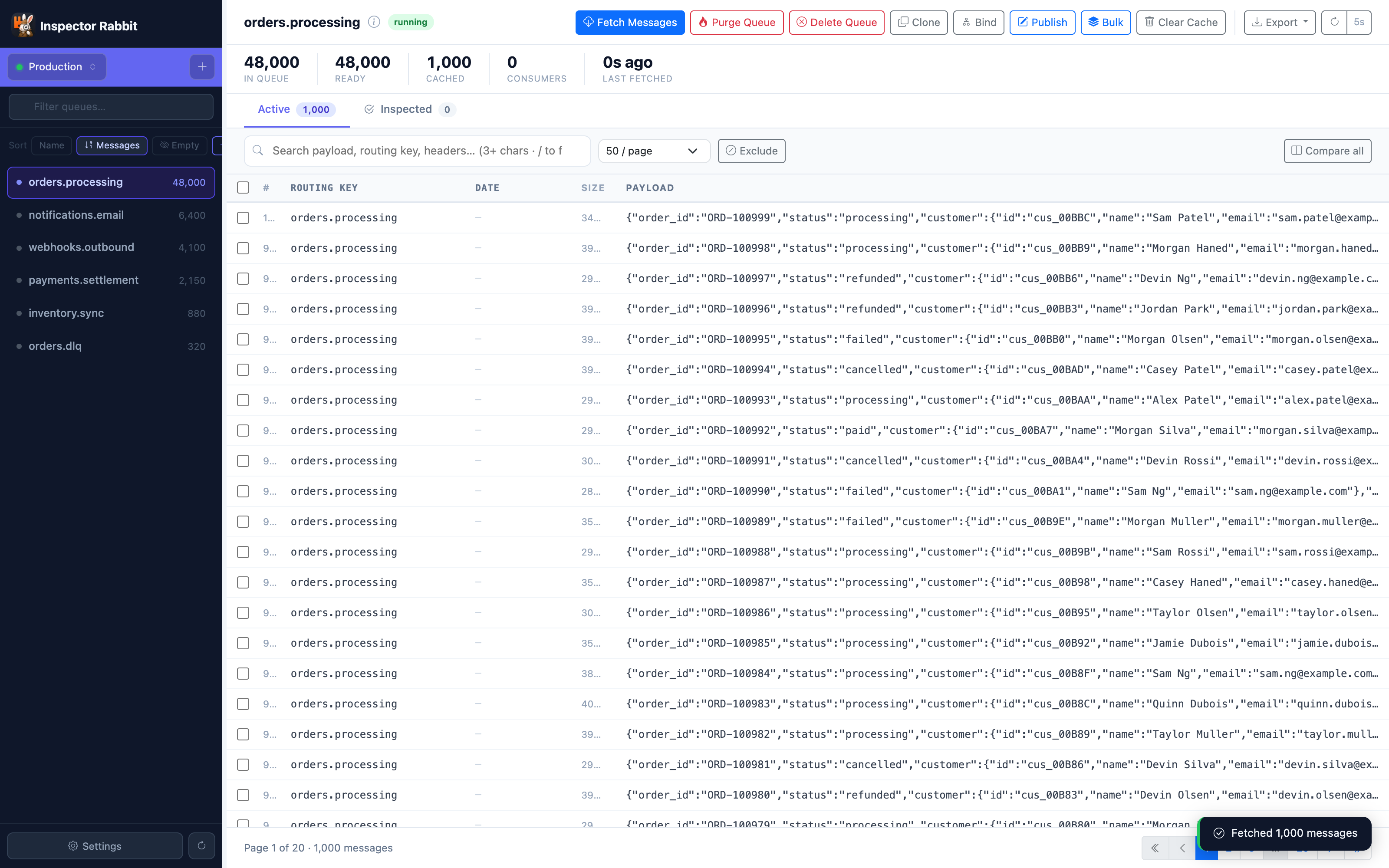
Messages load in configurable batches over AMQP (500 at a time). Progress shown live. Handles 100K+ queues without a single freeze or timeout.
Inspector Rabbit is a fast, private desktop app for debugging RabbitMQ at scale — search, filter, inspect, compare and replay messages, browse dead-letter queues, all without sending a byte of your data anywhere. The RabbitMQ GUI the Management UI should have been.
14-day free trial · no account · macOS today · Windows & Linux coming

The default UI handles basic queue management well. Finding one failed message among 80,000 is a different story entirely.
The built-in Management UI loads everything at once. Above 40K messages it hangs, times out, or silently crashes your browser tab. Debugging becomes guesswork.
No way to filter by payload content, routing key, header value, or exception class. You get a raw chronological list. Nothing more.
Found the bad message? You can't replay it to a different queue, compare it to a known-good one, or replay a filtered subset without a custom script.
Nested JSON, timestamps, exception traces and routing metadata are displayed as raw text. No tree view, no diff, no structured inspection of any kind.
Fetches in configurable batches. Filters and searches at full speed from local cache. Renders payloads as interactive trees. Compares two messages side by side. Replays filtered subsets to any queue. All on your machine — nothing ever leaves your network.
Built by developers who got frustrated enough with the existing tooling to fix it themselves.
Messages load in configurable batches over AMQP (500 at a time). Progress shown live. Handles 100K+ queues without a single freeze or timeout.
Filter by payload content, routing key, header values, exchange, dead-letter reason, or error class. Regex supported. Results appear instantly from local cache.
Nested JSON rendered as a collapsible tree. Headers parsed and formatted. Timestamps converted. Exception stack traces shown as structured tables.
Select any two messages and compare them field by field. Spot the difference between a healthy message and a failed one in seconds.
Replay, requeue or re-publish individual messages or filtered batches to any queue or exchange. Edit payload or headers before sending. No scripts required.
Dev, staging, production — each with its own colour, credentials and virtual host. Switch in one click. Colour-coded so you never purge the wrong queue.
See depth, ready/unacked and consumers across every queue — then fetch and page through thousands of messages without the browser stalling.
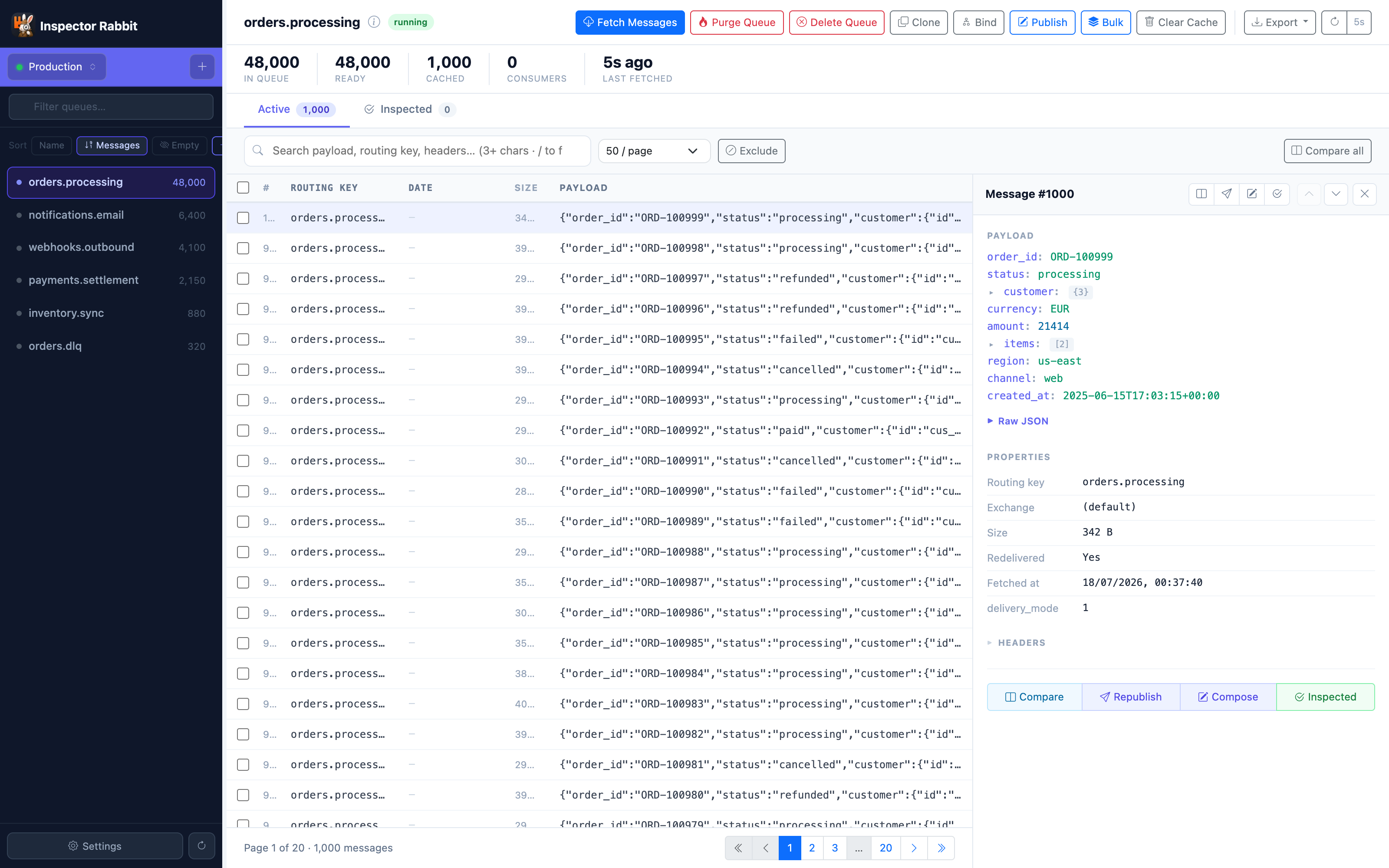
A pretty-printed JSON tree next to message properties and headers. Republish, compose or mark a message inspected in one click.
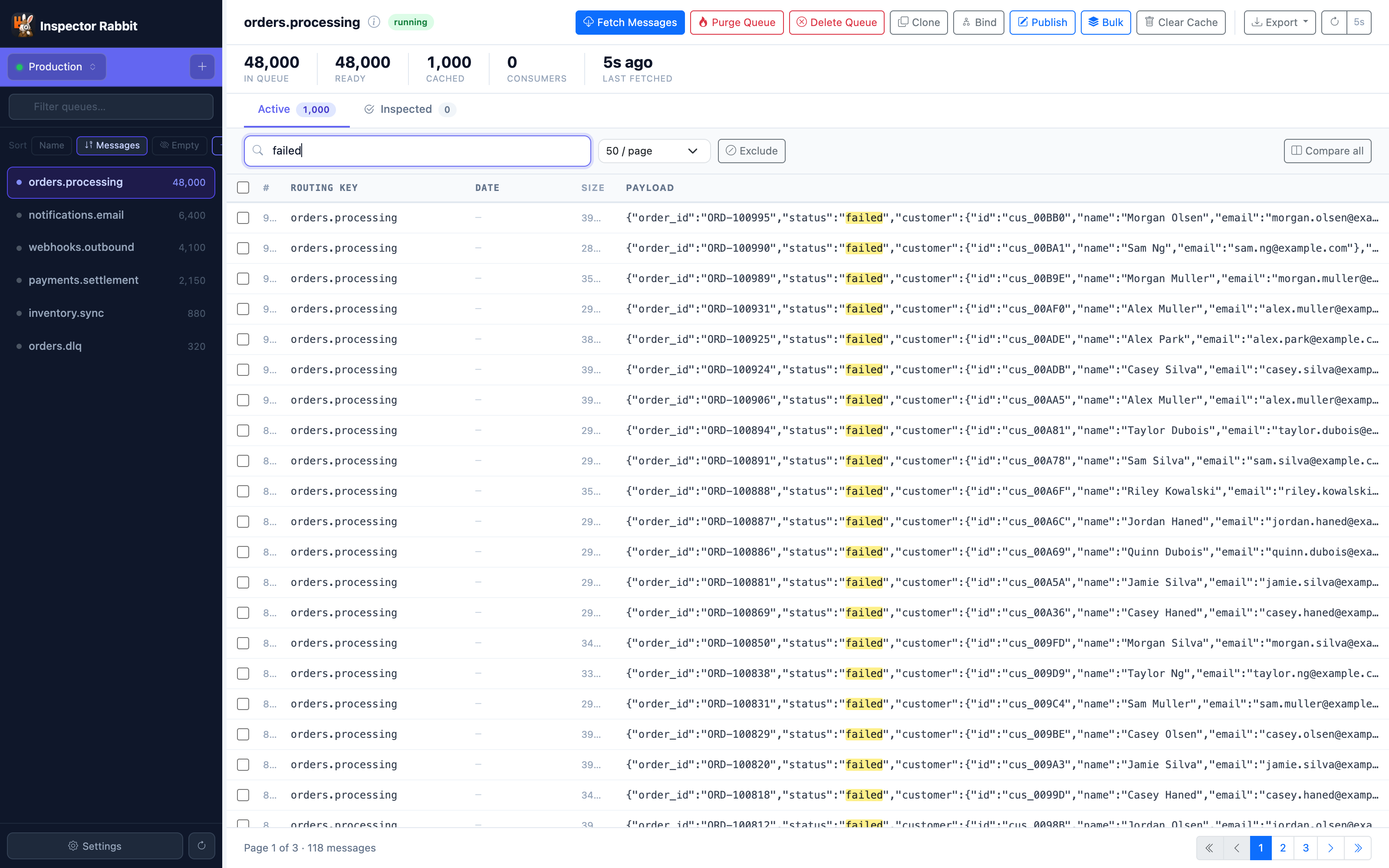
Full-text search over payloads, routing keys and headers with live highlighting — narrow to just the failed orders in milliseconds.
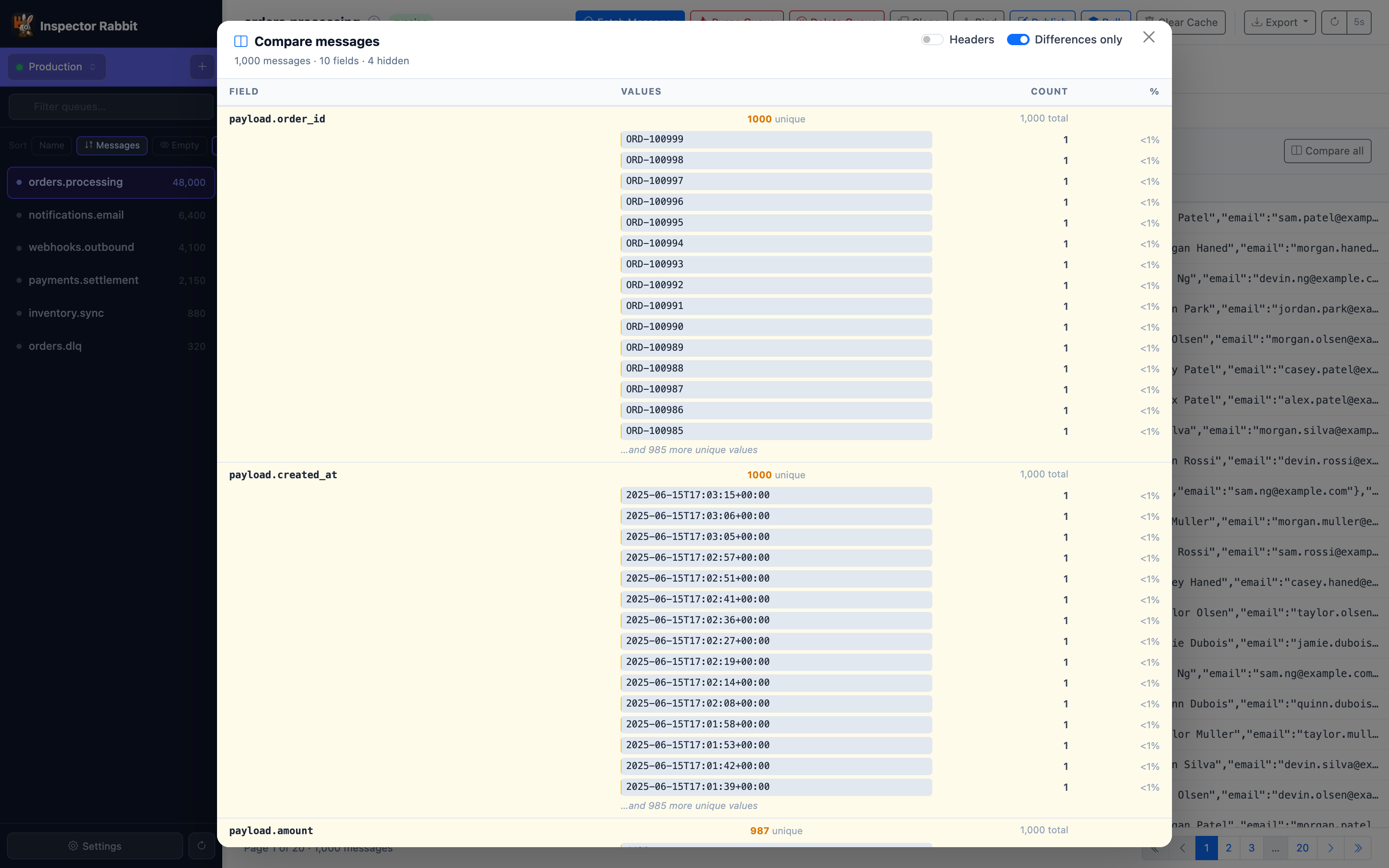
A field-by-field breakdown across thousands of messages — unique values, counts and differences — so anomalies and outliers jump straight out.
No tiers, no subscription, no “which plan?”. A single licence per seat — pay once, own it.
Install it, point it at a queue, and see whether it earns its price. A licence key unlocks it permanently when the trial ends.
539d690844bb198357bc00258a931b316ccccfc81341cbe299c75da9cf402b53
The Mac build is signed with an Apple Developer ID and notarized by Apple, so it opens
without warnings. If you like to check what you run — and you should — compare the
checksum above against shasum -a 256 on the downloaded file.